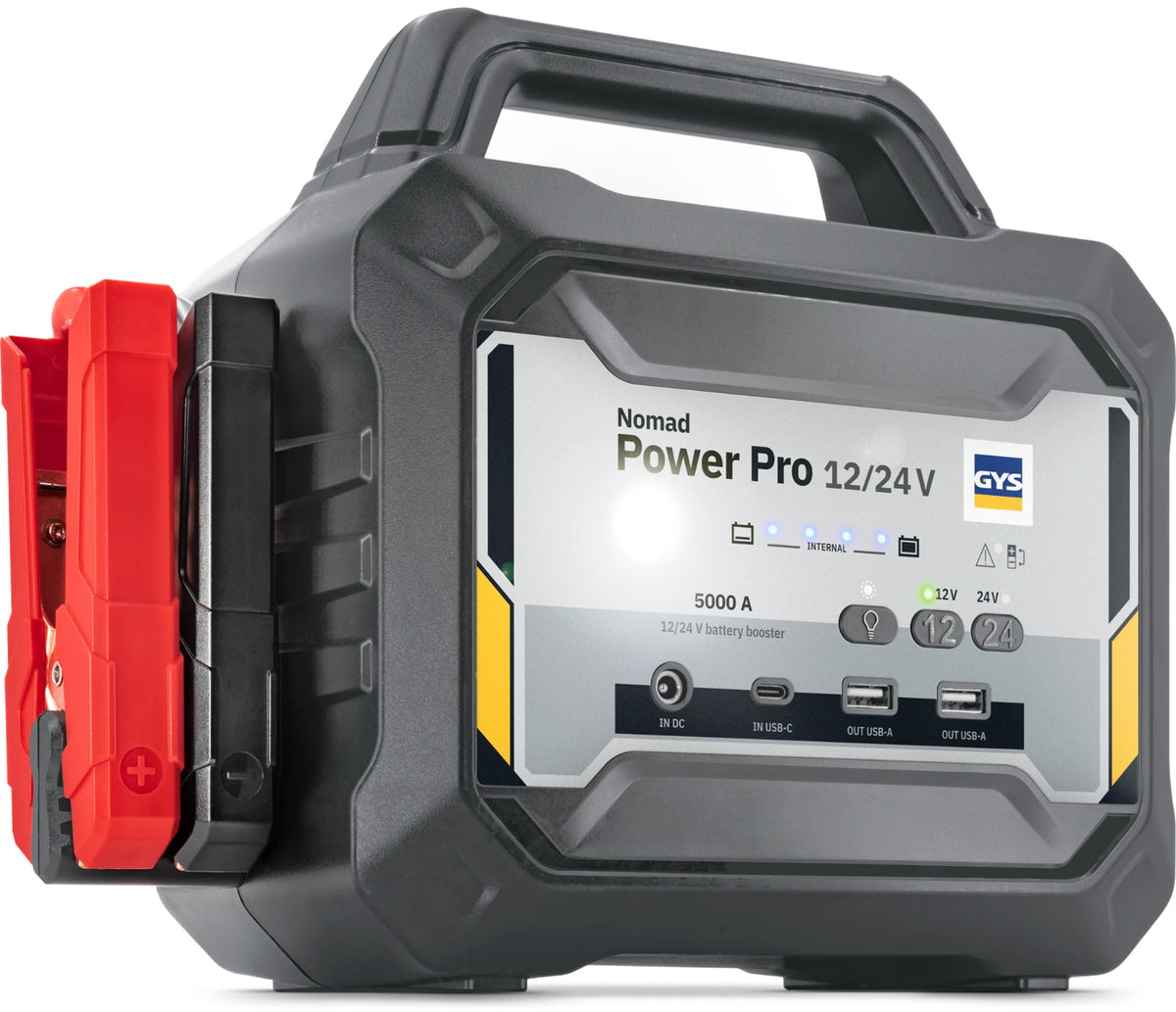


The GYS NOMAD POWER PRO 12/24 V is a powerful and versatile lithium booster that combines three functions in a single compact unit. With a current output of no less than 2300 A, it provides reliable jump-start assistance for both 12 V and 24 V vehicles. This makes it suitable for a wide range of applications, from passenger cars and vans to lorries and construction machinery.
As well as jump-starting, the NOMAD POWER PRO can be used as a stand-alone power supply for electronic devices. Thanks to the integrated USB-A ports, you can also easily charge mobile devices. The built-in emergency and signal light also makes the booster particularly practical for use on the road.
Key features:
- Powerful lithium booster with a capacity of 499.59 Wh
- Delivers an impressive current of 2300 A
- Suitable for jump-starting both 12 V and 24 V vehicles
- Ideal for cars, SUVs, vans, tractors, boats, buses, lorries and construction machinery
- Can be used as a stand-alone power supply for electronic devices
- Equipped with 2 USB-A ports for charging smartphones, tablets and other devices
- Integrated emergency and signal light
- Lightweight and compact design
- Easy to carry and store
- Ideally suited for use in workshops and breakdown service vehicles
Specificaties
| EAN | 3154020088566 |
| Serie | NOMAD |
| Netto gewicht (kg) | 7.1 |
| Materiaal behuizing | Kunststof |
| Hoogte (mm) | 245 |
| Diepte (mm) | 150 |
| Max. laadstroom (A) | 5000 |
| Aantal uitgaande aansluitingen | 2 |
| Kortsluitbeveiliging | Ja |
| Geschikt voor industriële accu's | Ja |
| Nom. uitgangsspanning 2 (V) | 24 |
| Breedte (mm) | 246 |
| Nom. uitgangsspanning 1 (V) | 12 |
Documenten
Bestel de GYS Lithium booster Nomad Power Pro 12/24V eenvoudig online bij MZS Gereedschap. Op voorraad en snel geleverd.
Andere klanten kochten ook
Recent bekeken producten

Je gereedschap. Eén tik weg.
Zet MZS op je telefoon en bestel direct vanaf je beginscherm.
Gratis toevoegen · iPhone & Android · Via wifi, 4G of 5GHoe voeg ik MZS toe aan mijn beginscherm?
iPhone: open deze webshop in Safari. Tik op Delen, of eerst op de drie puntjes en daarna op Deel. Kies ‘Zet op beginscherm’. Tik daarna op ‘Voeg toe’.
Android: open deze webshop in Chrome, tik op het menu met de drie puntjes en kies ‘App installeren’ of ‘Toevoegen aan startscherm’. Bevestig de keuze.
Je gebruikt dezelfde webshop en afrekening. Om te bestellen heb je internet nodig.